Discussion
Loading...

#Tag

Log in
  • About
  • Code of conduct
  • Privacy
  • Users
  • Instances
  • About Bonfire
Stefano Marinelli boosted
FreeBSD Foundation
FreeBSD Foundation
@FreeBSDFoundation@mastodon.social  ·  activity timestamp last month

Community Spotlight: How FreeBSD Is Inspiring New Users Through Real-World Experiences

We’re pleased to see how the community is responding to our Executive Director Deb Goodkin’s ongoing series documenting her experience running FreeBSD 15.0 on the Framework 12" Mini laptop.

Deb is now on Day 18 of her journey, sharing daily progress as she evaluates FreeBSD in everyday workflows.

Follow her latest update here:

https://www.linkedin.com/posts/deb-goodkin-b282924a_day-18-of-freebsd-150-on-my-framework-12-activity-7419942116832833536-KdPO

#FreeBSD #OpenSource #FreeBSD15 #FrameworkLaptop

Sorry, no caption provided by author

Day #18 of FreeBSD 15.0 on my Framework 12" (AKA my FreeBSD Journey)

Today was an interesting day! I learned so much!! Some good face-palm moments, too.

These are the three areas I worked on… | Deb Goodkin

Day #18 of FreeBSD 15.0 on my Framework 12" (AKA my FreeBSD Journey) Today was an interesting day! I learned so much!! Some good face-palm moments, too. These are the three areas I worked on today. Sleep Test I couldn’t update the power settings because the system settings were wonky, with messages saying “unable to load plasma plugin.” But I was able to put the laptop to sleep by selecting Sleep in the KDE menu (I couldn’t find an official name for it). It went to sleep, and the power button light blinked slowly, which indicated it was in sleep mode. I hit a few different keys to wake it up, but nothing happened. I had to push the power button to get it out of that mode, which caused the system to shut down. I powered it back up, and everything worked. Apparently, this is a known problem. Work Calls I used my laptop for three conference calls today on whereby, Meet, and Teams. I met with Mark Phillips, our technical marketing manager, who was using a FreeBSD Framework 13” AMD on his end. We used whereby, which is his preferred conference call software. It worked perfectly! I shared photos from both sides of our call. My next meeting was on Meet. I messed up and didn’t allow proper access to my headset. So, when I joined the call, I didn’t have audio. Since this meeting was with another company, I quickly switched to the Mac for the call. I can subject my team members to testing my laptop, but not other companies! My third meeting was using Teams. I was able to join, and my headset connected correctly. I did not have access to my camera, and I don’t know why. I’ve heard this may work better on Chromium (I was using Firefox). I was in this meeting for 1.5 hours and never had an issue, besides the camera. I’ll try it from Chromium next time. Boot Environments After the package upgrade last night, the KDE settings were wonky with the unable to load plasma plugin messages. So, I set the before_upgrade boot environment to be active, so it would boot into that in the morning to revert the upgrade. What I didn’t realize was that boot environment was already active, so it represented the current boot environment, which included the pkg upgrade. I assumed the before_upgrade was fixed and wouldn’t be updated, but I was wrong. After powering up the laptop this morning, the KDE settings were correct. Maybe the shutdown/power on fixed the plugin incompatibility that it was reporting last night. Note to self: Before any major upgrade, save the current boot environment! WiFi I decided to switch back to iwlwifi to see if I would encounter the same issues from earlier this month. I switched because the developer working on this heard about my wifi issues, but those were mostly related to iwx. I had switched to iwx after experiencing freezing issues during my Galene call. Anyway, I’ll try out my meetings with iwlwifi tomorrow and report any issues I find. One positive note about switching to iwlwifi is that Chromium now works!

  • Copy link
  • Flag this post
  • Block
FreeBSD Foundation
FreeBSD Foundation
@FreeBSDFoundation@mastodon.social  ·  activity timestamp last month

Community Spotlight: How FreeBSD Is Inspiring New Users Through Real-World Experiences

We’re pleased to see how the community is responding to our Executive Director Deb Goodkin’s ongoing series documenting her experience running FreeBSD 15.0 on the Framework 12" Mini laptop.

Deb is now on Day 18 of her journey, sharing daily progress as she evaluates FreeBSD in everyday workflows.

Follow her latest update here:

https://www.linkedin.com/posts/deb-goodkin-b282924a_day-18-of-freebsd-150-on-my-framework-12-activity-7419942116832833536-KdPO

#FreeBSD #OpenSource #FreeBSD15 #FrameworkLaptop

Sorry, no caption provided by author

Day #18 of FreeBSD 15.0 on my Framework 12" (AKA my FreeBSD Journey)

Today was an interesting day! I learned so much!! Some good face-palm moments, too.

These are the three areas I worked on… | Deb Goodkin

Day #18 of FreeBSD 15.0 on my Framework 12" (AKA my FreeBSD Journey) Today was an interesting day! I learned so much!! Some good face-palm moments, too. These are the three areas I worked on today. Sleep Test I couldn’t update the power settings because the system settings were wonky, with messages saying “unable to load plasma plugin.” But I was able to put the laptop to sleep by selecting Sleep in the KDE menu (I couldn’t find an official name for it). It went to sleep, and the power button light blinked slowly, which indicated it was in sleep mode. I hit a few different keys to wake it up, but nothing happened. I had to push the power button to get it out of that mode, which caused the system to shut down. I powered it back up, and everything worked. Apparently, this is a known problem. Work Calls I used my laptop for three conference calls today on whereby, Meet, and Teams. I met with Mark Phillips, our technical marketing manager, who was using a FreeBSD Framework 13” AMD on his end. We used whereby, which is his preferred conference call software. It worked perfectly! I shared photos from both sides of our call. My next meeting was on Meet. I messed up and didn’t allow proper access to my headset. So, when I joined the call, I didn’t have audio. Since this meeting was with another company, I quickly switched to the Mac for the call. I can subject my team members to testing my laptop, but not other companies! My third meeting was using Teams. I was able to join, and my headset connected correctly. I did not have access to my camera, and I don’t know why. I’ve heard this may work better on Chromium (I was using Firefox). I was in this meeting for 1.5 hours and never had an issue, besides the camera. I’ll try it from Chromium next time. Boot Environments After the package upgrade last night, the KDE settings were wonky with the unable to load plasma plugin messages. So, I set the before_upgrade boot environment to be active, so it would boot into that in the morning to revert the upgrade. What I didn’t realize was that boot environment was already active, so it represented the current boot environment, which included the pkg upgrade. I assumed the before_upgrade was fixed and wouldn’t be updated, but I was wrong. After powering up the laptop this morning, the KDE settings were correct. Maybe the shutdown/power on fixed the plugin incompatibility that it was reporting last night. Note to self: Before any major upgrade, save the current boot environment! WiFi I decided to switch back to iwlwifi to see if I would encounter the same issues from earlier this month. I switched because the developer working on this heard about my wifi issues, but those were mostly related to iwx. I had switched to iwx after experiencing freezing issues during my Galene call. Anyway, I’ll try out my meetings with iwlwifi tomorrow and report any issues I find. One positive note about switching to iwlwifi is that Chromium now works!
  • Copy link
  • Flag this post
  • Block
Stefano Marinelli boosted
FreeBSD Foundation
FreeBSD Foundation
@FreeBSDFoundation@mastodon.social  ·  activity timestamp last month

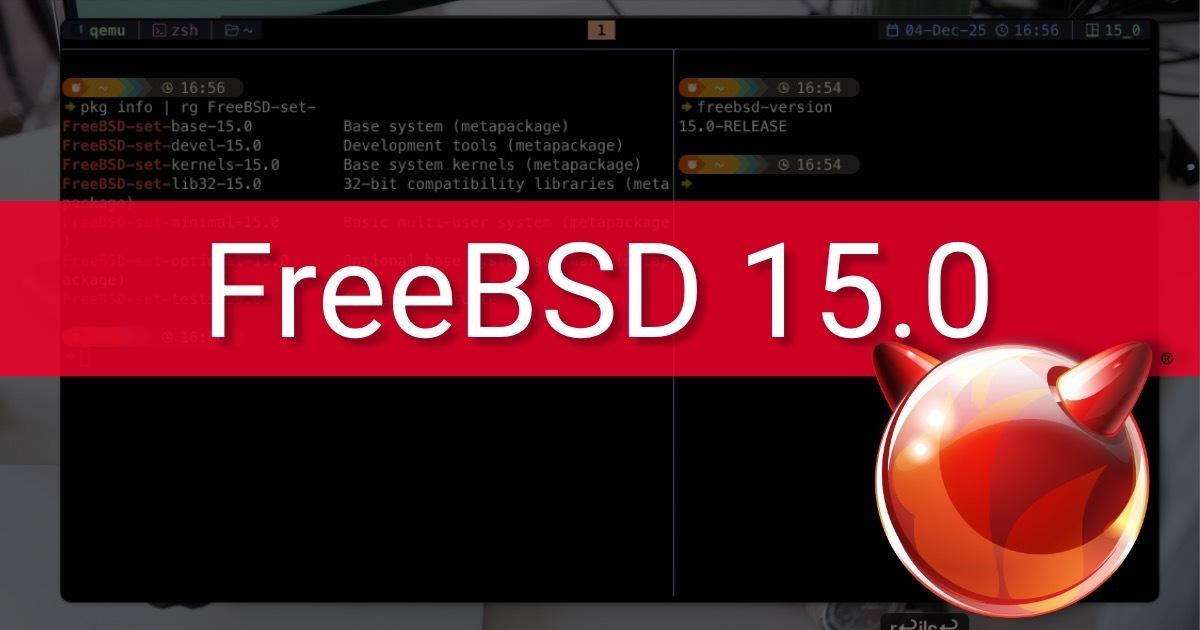
New in the Q4 2025 FreeBSD Journal: FreeBSD 15.0 Fixes and Features

We’re pleased to highlight this article from our Q4 2025 Journal. It provides an in-depth look at the key fixes and enhancements included in FreeBSD 15.0, outlining meaningful improvements to system stability, hardware support, and the overall user experience. It’s a valuable overview for anyone upgrading or evaluating the release.

Read the full article:

https://freebsdfoundation.org/our-work/journal/browser-based-edition/freebsd-15-0/freebsd-15-0-fixes-and-features/

#FreeBSD #FreeBSDJournal #FreeBSD15

Sorry, no caption provided by author
FreeBSD Foundation | A non-profit organization dedicated to supporting and building the FreeBSD Project

FreeBSD 15.0: Fixes and Features

FreeBSD 15.0:Fixes and Features FreeBSD 15.0:Fixes and Features By John Baldwin The FreeBSD community continues to push forward with the release of 15.0. This release includes numerous features, refinements, and bugfixes relative to 14.0, which was released in November of 2023. Highlights of some of the changes are listed below, but more details can be
  • Copy link
  • Flag this post
  • Block
FreeBSD Foundation
FreeBSD Foundation
@FreeBSDFoundation@mastodon.social  ·  activity timestamp last month

New in the Q4 2025 FreeBSD Journal: FreeBSD 15.0 Fixes and Features

We’re pleased to highlight this article from our Q4 2025 Journal. It provides an in-depth look at the key fixes and enhancements included in FreeBSD 15.0, outlining meaningful improvements to system stability, hardware support, and the overall user experience. It’s a valuable overview for anyone upgrading or evaluating the release.

Read the full article:

https://freebsdfoundation.org/our-work/journal/browser-based-edition/freebsd-15-0/freebsd-15-0-fixes-and-features/

#FreeBSD #FreeBSDJournal #FreeBSD15

Sorry, no caption provided by author
FreeBSD Foundation | A non-profit organization dedicated to supporting and building the FreeBSD Project

FreeBSD 15.0: Fixes and Features

FreeBSD 15.0:Fixes and Features FreeBSD 15.0:Fixes and Features By John Baldwin The FreeBSD community continues to push forward with the release of 15.0. This release includes numerous features, refinements, and bugfixes relative to 14.0, which was released in November of 2023. Highlights of some of the changes are listed below, but more details can be
  • Copy link
  • Flag this post
  • Block
gtewallace
gtewallace
@gtewallace@mastodon.social  ·  activity timestamp last month

Getting my #freebsd laptop ready with kde 🥳

#freebsd15 #digitalsovereignty

Cc @emaste @dch @stefano

Your browser does not support the video tag.
This video cannot be previewed
Open original
Sorry, no caption provided by author
  • Copy link
  • Flag this post
  • Block
Armando
Armando
@armando@rollenspiel.social  ·  activity timestamp 2 months ago

Has anybody gotten the #framework #desktop running (especially graphics) with #freebsd15? Would be very interested, as it works flawlessly under linux (and I really, really want #freebsd running on that machine 😃

I get a kernel crash as soon as I try to load the amdgpu module.

And I haven't found any solution until now.

  • Copy link
  • Flag this post
  • Block
Stefano Marinelli boosted
Pete Orrall
Pete Orrall
@peteorrall@mastodon.bsd.cafe  ·  activity timestamp 3 months ago

I had this recent exchange with my wife:

Wife: What is FreeBSD?

Me: It's Unix, an operating system, and it's awesome!

Wife: Oh OK. The only reason I asked is because I am finding these FreeBSD CDs around the house. FreeBSD 12.0, 13.3, 14.0.

Me: Yeah, I use the old versions as coasters for my tea mugs.

Wife: *pauses, laughs* I can see that.

#FreeBSD #homelab #tech #fun #unix #computers #freebsd15 #operatingsystem #awesome

  • Copy link
  • Flag this post
  • Block
Michael Dexter boosted
John-Mark Gurney
John-Mark Gurney
@encthenet@flyovercountry.social  ·  activity timestamp 3 months ago

The FreeBSD 15.0-R magnet torrents are now available:
https://wiki.freebsd.org/Torrents

Remember to that when they're first available, DHT takes a while to populate.

#FreeBSD #FreeBSD15

  • Copy link
  • Flag this post
  • Block
Stefano Marinelli boosted
FreeBSD Foundation
FreeBSD Foundation
@FreeBSDFoundation@mastodon.social  ·  activity timestamp 3 months ago

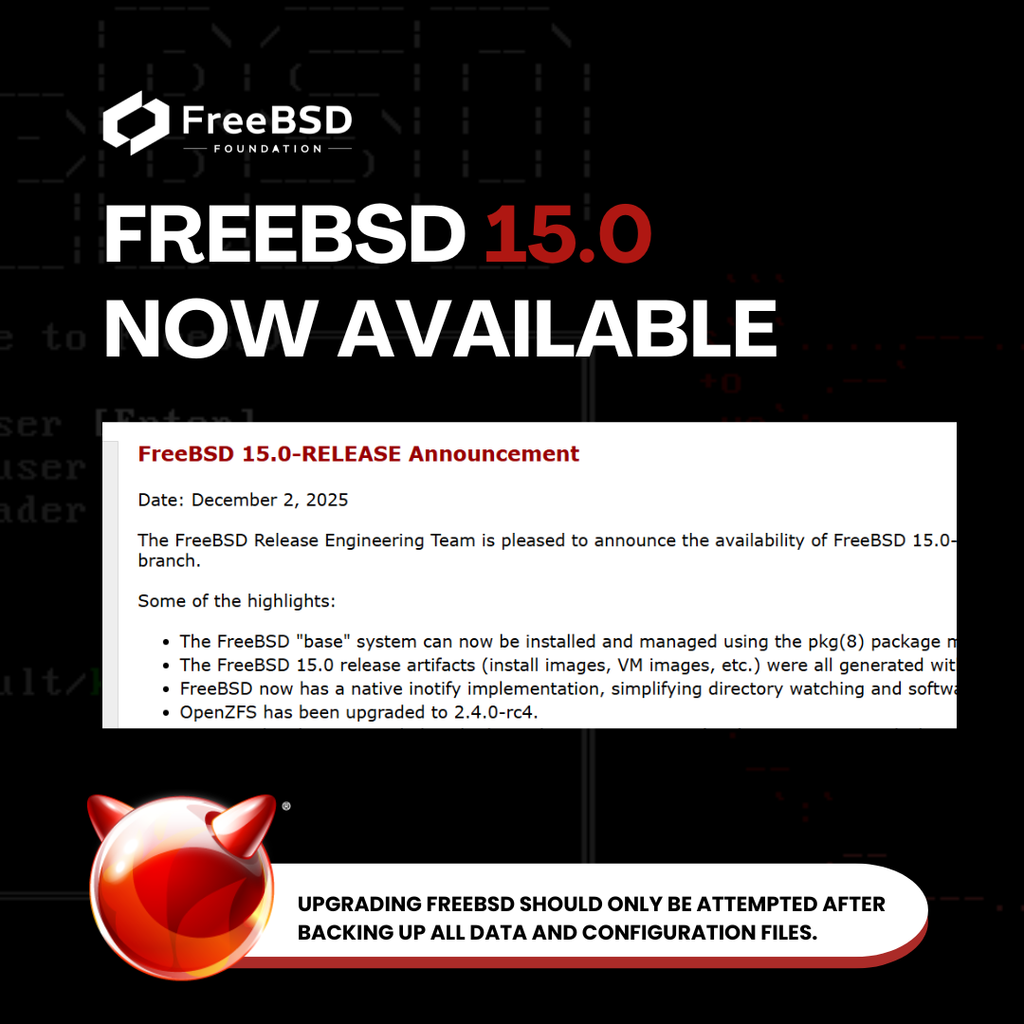
FreeBSD 15.0 Now Available

The FreeBSD Project has announced the availability of FreeBSD 15.0-RELEASE, introducing updated toolchains, enhanced hardware support, improved security features, and key updates across the base system. This release continues the Project’s focus on stability, long-term maintainability, and consistent engineering.

We encourage you to review the release notes and upgrade guidance

Read the full announcement: https://www.freebsd.org/releases/15.0R/announce/

#FreeBSD #OpenSource #FreeBSD15

Sorry, no caption provided by author
  • Copy link
  • Flag this post
  • Block
Stefano Marinelli boosted
FreeBSD Foundation
FreeBSD Foundation
@FreeBSDFoundation@mastodon.social  ·  activity timestamp 3 months ago

FreeBSD 15: Why You’ll Want It

Following this week’s 15.0 release, we took a closer look at the features that stand out in the new version.

Key updates include a production-ready pkgbase system for more flexible installations and upgrades, enhancements to desktop and laptop usability, significant performance gains in AWS, and refinements to FreeBSD’s privilege and security model.

Read the full overview: https://freebsdfoundation.org/blog/freebsd-15-why-youll-want-it/

#FreeBSD #OpenSource #FreeBSD15

Sorry, no caption provided by author
  • Copy link
  • Flag this post
  • Block
Stefano Marinelli boosted
Larvitz
Larvitz
@Larvitz@mastodon.bsd.cafe  ·  activity timestamp 3 months ago

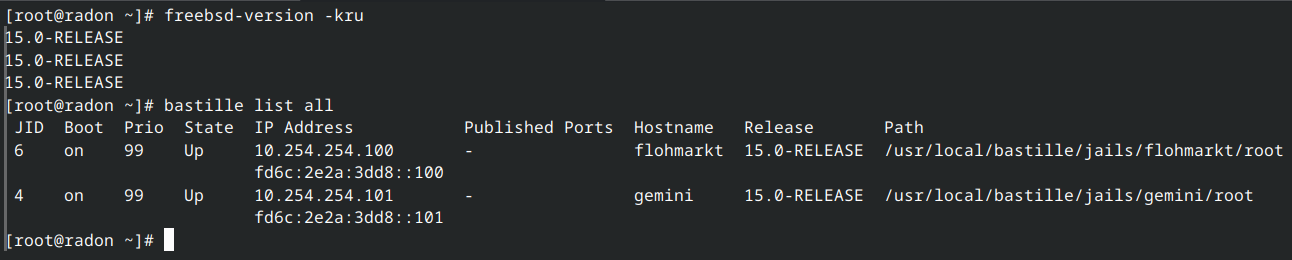
And one more server (including jails) cleanly upgrade to FreeBSD 15.0-RELEASE freebsd_logo

All running nicely 🙂

#freebsd #freebsd15 #sysadmin

Sorry, no caption provided by author
  • Copy link
  • Flag this post
  • Block
Stefano Marinelli boosted
Lukas
Lukas
@lukas@mastodon.bsd.cafe  ·  activity timestamp 3 months ago

I just played around upgrading a FreeBSD 14.3p6 VM to 15.0-RELEASE via FreeBSD-base.
I still have not figured out how to do that with the official repos, but after building packages locally i was able to upgrade the boot environment and reboot in a working #freebsd15 installation!

Has anyone got this working with the official base repo?

If anyone is interested, here are my notes about upgrading locally (Notes in picture alt for copy paste).

Create Boot Env and mount it
```
bectl create 15.0
mkdir /mnt/upgrade
bectl mount 15.0 /mnt/upgrade
```
Change pkg configuration `/mnt/upgrade/usr/local/etc/pkg/repos/FreeBSD-base.conf` to local repo
```
FreeBSD-base: {
  url: "http://local.ip/${ABI}/15.0",
  enabled: yes
}
```
and comment out FreeBSD-base from /mnt/upgrade/etc/pkg/FreeBSD.conf
Install FreeBSD-pkg-bootstrap, as mentioned in the [release notes](https://www.freebsd.org/releases/15.0R/relnotes/)
```
env ABI=FreeBSD:15:amd64 IGNORE_OSVERSION=yes pkg -c /mnt/upgrade/ install -r FreeBSD-base FreeBSD-pkg-bootstrap
```
Then upgrade the base packages
```
env ABI=FreeBSD:15:amd64 IGNORE_OSVERSION=yes pkg -c /mnt/upgrade/ upgrade -r FreeBSD-base
```
Check, if FreeBSD-set-base is installed:
```
env ABI=FreeBSD:15:amd64 IGNORE_OSVERSION=yes pkg -c /mnt/upgrade/ install -r FreeBSD-base FreeBSD-set-base
```

upgrade all other packages
```
env ABI=FreeBSD:15:amd64 IGNORE_OSVERSION=yes pkg -c /mnt/upgrade/ upgrade
```

Temporarily activate boot env and reboot
```
bectl activate -t 15.0
shutdown -r now
```
Create Boot Env and mount it ``` bectl create 15.0 mkdir /mnt/upgrade bectl mount 15.0 /mnt/upgrade ``` Change pkg configuration `/mnt/upgrade/usr/local/etc/pkg/repos/FreeBSD-base.conf` to local repo ``` FreeBSD-base: { url: "http://local.ip/${ABI}/15.0", enabled: yes } ``` and comment out FreeBSD-base from /mnt/upgrade/etc/pkg/FreeBSD.conf Install FreeBSD-pkg-bootstrap, as mentioned in the [release notes](https://www.freebsd.org/releases/15.0R/relnotes/) ``` env ABI=FreeBSD:15:amd64 IGNORE_OSVERSION=yes pkg -c /mnt/upgrade/ install -r FreeBSD-base FreeBSD-pkg-bootstrap ``` Then upgrade the base packages ``` env ABI=FreeBSD:15:amd64 IGNORE_OSVERSION=yes pkg -c /mnt/upgrade/ upgrade -r FreeBSD-base ``` Check, if FreeBSD-set-base is installed: ``` env ABI=FreeBSD:15:amd64 IGNORE_OSVERSION=yes pkg -c /mnt/upgrade/ install -r FreeBSD-base FreeBSD-set-base ``` upgrade all other packages ``` env ABI=FreeBSD:15:amd64 IGNORE_OSVERSION=yes pkg -c /mnt/upgrade/ upgrade ``` Temporarily activate boot env and reboot ``` bectl activate -t 15.0 shutdown -r now ```
  • Copy link
  • Flag this post
  • Block
fresco boosted
dwardoric
dwardoric
@dwardoric@chaos.social  ·  activity timestamp 3 months ago

FreeBSD 15 is here! 😊

FreeBSD 15.0-RELEASE Release Notes:
https://www.freebsd.org/releases/15.0R/relnotes/

#FreeBSD #FreeBSD15 #OperatingSystems

  • Copy link
  • Flag this post
  • Block
Ulrich Hoffmann🖖
Ulrich Hoffmann🖖
@honuk@mastodon.social  ·  activity timestamp 3 months ago

Installed and now experimenting with #freebsd #freebsd15 on Lenovo M625q thin client (AMD E2-9000e 1.5 Ghz, 8GB RAM + 120 GB SSB). Nice setup so far with XFCE desktop. Wifi/USB dongle (tp-link TL_WN725N) works but has poor perfomance (like 30kB/s).

What might be a better supported WiFi/USB dongle?

  • Copy link
  • Flag this post
  • Block
Lukas
Lukas
@lukas@mastodon.bsd.cafe  ·  activity timestamp 3 months ago

I just played around upgrading a FreeBSD 14.3p6 VM to 15.0-RELEASE via FreeBSD-base.
I still have not figured out how to do that with the official repos, but after building packages locally i was able to upgrade the boot environment and reboot in a working #freebsd15 installation!

Has anyone got this working with the official base repo?

If anyone is interested, here are my notes about upgrading locally (Notes in picture alt for copy paste).

Create Boot Env and mount it
```
bectl create 15.0
mkdir /mnt/upgrade
bectl mount 15.0 /mnt/upgrade
```
Change pkg configuration `/mnt/upgrade/usr/local/etc/pkg/repos/FreeBSD-base.conf` to local repo
```
FreeBSD-base: {
  url: "http://local.ip/${ABI}/15.0",
  enabled: yes
}
```
and comment out FreeBSD-base from /mnt/upgrade/etc/pkg/FreeBSD.conf
Install FreeBSD-pkg-bootstrap, as mentioned in the [release notes](https://www.freebsd.org/releases/15.0R/relnotes/)
```
env ABI=FreeBSD:15:amd64 IGNORE_OSVERSION=yes pkg -c /mnt/upgrade/ install -r FreeBSD-base FreeBSD-pkg-bootstrap
```
Then upgrade the base packages
```
env ABI=FreeBSD:15:amd64 IGNORE_OSVERSION=yes pkg -c /mnt/upgrade/ upgrade -r FreeBSD-base
```
Check, if FreeBSD-set-base is installed:
```
env ABI=FreeBSD:15:amd64 IGNORE_OSVERSION=yes pkg -c /mnt/upgrade/ install -r FreeBSD-base FreeBSD-set-base
```

upgrade all other packages
```
env ABI=FreeBSD:15:amd64 IGNORE_OSVERSION=yes pkg -c /mnt/upgrade/ upgrade
```

Temporarily activate boot env and reboot
```
bectl activate -t 15.0
shutdown -r now
```
Create Boot Env and mount it ``` bectl create 15.0 mkdir /mnt/upgrade bectl mount 15.0 /mnt/upgrade ``` Change pkg configuration `/mnt/upgrade/usr/local/etc/pkg/repos/FreeBSD-base.conf` to local repo ``` FreeBSD-base: { url: "http://local.ip/${ABI}/15.0", enabled: yes } ``` and comment out FreeBSD-base from /mnt/upgrade/etc/pkg/FreeBSD.conf Install FreeBSD-pkg-bootstrap, as mentioned in the [release notes](https://www.freebsd.org/releases/15.0R/relnotes/) ``` env ABI=FreeBSD:15:amd64 IGNORE_OSVERSION=yes pkg -c /mnt/upgrade/ install -r FreeBSD-base FreeBSD-pkg-bootstrap ``` Then upgrade the base packages ``` env ABI=FreeBSD:15:amd64 IGNORE_OSVERSION=yes pkg -c /mnt/upgrade/ upgrade -r FreeBSD-base ``` Check, if FreeBSD-set-base is installed: ``` env ABI=FreeBSD:15:amd64 IGNORE_OSVERSION=yes pkg -c /mnt/upgrade/ install -r FreeBSD-base FreeBSD-set-base ``` upgrade all other packages ``` env ABI=FreeBSD:15:amd64 IGNORE_OSVERSION=yes pkg -c /mnt/upgrade/ upgrade ``` Temporarily activate boot env and reboot ``` bectl activate -t 15.0 shutdown -r now ```
  • Copy link
  • Flag this post
  • Block
Larvitz
Larvitz
@Larvitz@mastodon.bsd.cafe  ·  activity timestamp 3 months ago

And one more server (including jails) cleanly upgrade to FreeBSD 15.0-RELEASE freebsd_logo

All running nicely 🙂

#freebsd #freebsd15 #sysadmin

Sorry, no caption provided by author
  • Copy link
  • Flag this post
  • Block
FreeBSD Foundation
FreeBSD Foundation
@FreeBSDFoundation@mastodon.social  ·  activity timestamp 3 months ago

FreeBSD 15: Why You’ll Want It

Following this week’s 15.0 release, we took a closer look at the features that stand out in the new version.

Key updates include a production-ready pkgbase system for more flexible installations and upgrades, enhancements to desktop and laptop usability, significant performance gains in AWS, and refinements to FreeBSD’s privilege and security model.

Read the full overview: https://freebsdfoundation.org/blog/freebsd-15-why-youll-want-it/

#FreeBSD #OpenSource #FreeBSD15

Sorry, no caption provided by author
  • Copy link
  • Flag this post
  • Block
Pete Orrall
Pete Orrall
@peteorrall@mastodon.bsd.cafe  ·  activity timestamp 3 months ago

I had this recent exchange with my wife:

Wife: What is FreeBSD?

Me: It's Unix, an operating system, and it's awesome!

Wife: Oh OK. The only reason I asked is because I am finding these FreeBSD CDs around the house. FreeBSD 12.0, 13.3, 14.0.

Me: Yeah, I use the old versions as coasters for my tea mugs.

Wife: *pauses, laughs* I can see that.

#FreeBSD #homelab #tech #fun #unix #computers #freebsd15 #operatingsystem #awesome

  • Copy link
  • Flag this post
  • Block
opensourcefeed
opensourcefeed
@opensourcefeed@floss.social  ·  activity timestamp 3 months ago

FreeBSD 15.0 is officially released! 🚀

Highlights include:
- Updated base system and OpenZFS 2.4
- Broad architecture support: amd64, aarch64, RISC-V
- Security and developer tool improvements

Read more & download: https://www.opensourcefeed.org/freebsd-15-0-released/

#FreeBSD #OpenSource #BSD #Unix #FreeBSD15

FreeBSD 15.0 is officially released! 🚀

Highlights include:
- Updated base system and OpenZFS 2.4
- Broad architecture support: amd64, aarch64, RISC-V
- Security and developer tool improvements

Read more & download: https://www.opensourcefeed.org/freebsd-15-0-released/

#FreeBSD #OpenSource #BSD #Unix #FreeBSD15
FreeBSD 15.0 is officially released! 🚀 Highlights include: - Updated base system and OpenZFS 2.4 - Broad architecture support: amd64, aarch64, RISC-V - Security and developer tool improvements Read more & download: https://www.opensourcefeed.org/freebsd-15-0-released/ #FreeBSD #OpenSource #BSD #Unix #FreeBSD15
  • Copy link
  • Flag this post
  • Block
FreeBSD Foundation
FreeBSD Foundation
@FreeBSDFoundation@mastodon.social  ·  activity timestamp 3 months ago

FreeBSD 15.0 Now Available

The FreeBSD Project has announced the availability of FreeBSD 15.0-RELEASE, introducing updated toolchains, enhanced hardware support, improved security features, and key updates across the base system. This release continues the Project’s focus on stability, long-term maintainability, and consistent engineering.

We encourage you to review the release notes and upgrade guidance

Read the full announcement: https://www.freebsd.org/releases/15.0R/announce/

#FreeBSD #OpenSource #FreeBSD15

Sorry, no caption provided by author
  • Copy link
  • Flag this post
  • Block

bonfire.cafe

A space for Bonfire maintainers and contributors to communicate

bonfire.cafe: About · Code of conduct · Privacy · Users · Instances
Bonfire social · 1.0.2-alpha.29 no JS en
Federation disabled
Log in
  • Explore
  • About
  • Members
  • Code of Conduct