Discussion
Loading...

Post

  • Log in
  • Sign up
  • About
  • Code of conduct
  • Privacy
  • Users
  • Instances
  • About Bonfire
Gary Parker :party_porg:
@WiteWulf@cyberplace.social  ·  activity timestamp 6 months ago

The device documentation only mentions a full reset via serial console...which requires valid login credentials as far as I can tell #datacentre #Schneider

#schneider #datacentre
  • Copy link
  • Flag this post
  • Block
Gary Parker :party_porg:
@WiteWulf@cyberplace.social  ·  activity timestamp 6 months ago

The device documentation only mentions a full reset via serial console...which requires valid login credentials as far as I can tell #datacentre #Schneider

  • Copy link
  • Flag this comment
  • Block
Gary Parker :party_porg:
@WiteWulf@cyberplace.social  ·  activity timestamp 6 months ago

Well, our support partner came up with the goods, and I can't find this online or in any official documentation.

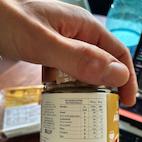
You need to put a copy of the default config on a USB stick and upload it to the device locally. This resets the device to its default state.

I don't have a USB stick with me in the DC today, so I'll give this a try tomorrow.

Interestingly, the supplied default config file appears to be binary 🤔
#datacentre #Schneider

  • Copy link
  • Flag this comment
  • Block
Instance logo
bonfire.cafe
Log in Create account
Banner for bonfire.cafe

bonfire.cafe

A space for Bonfire maintainers and contributors to communicate

bonfire.cafe: About · Code of conduct · Privacy · Users · Instances
Bonfire bovenjan · 1.0.3-alpha.10 no JS en
Federation disabled
Instance logo
  • Explore
  • About
  • Members
  • Code of Conduct

Install bonfire.cafe

Get the full app experience

1 Tap Share 2 Add to Home Screen